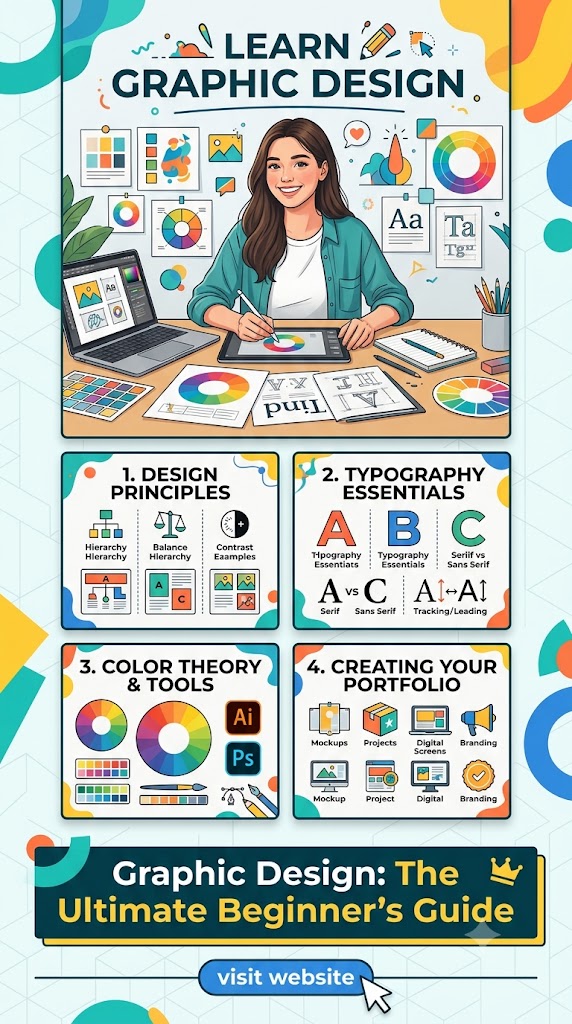
Graphic Design: The Ultimate Beginner’s Guide
Mastering Freelance
The world of freelance graphic design is more than just a career choice; it is a lifestyle that offers unparalleled creative freedom and the potential for a lucrative income. In today’s digital-first economy, every business—from the local bakery to the global tech giant—requires visual communication. This demand has created a golden era for independent designers. However, transitioning from a hobbyist to a professional freelancer requires more than just an eye for aesthetics. It demands a strategic mix of technical mastery, business acumen, and psychological resilience.
For a beginner, the path can seem daunting. Where do you find clients? How much should you charge? Which software is actually worth the investment? This guide is designed to dismantle those barriers, providing a comprehensive roadmap to building a sustainable and flourishing freelance design business from scratch.
1. Fundamentals
Before you open a single piece of software, you must understand the “language” of design. Graphic design is not art for art’s sake; it is visual problem-solving. A beginner must master the core pillars: hierarchy, contrast, balance, and alignment.
- Color Theory: Understanding how colors interact and the psychology behind them is vital. For example, blue evokes trust and stability (common in banking), while red suggests energy and urgency (common in food delivery).
- Typography: This is often what separates the amateurs from the pros. Learning the difference between Serif, Sans Serif, and Slab fonts—and knowing when to use them—is critical. You must understand leading (line spacing), kerning (letter spacing), and tracking.
- Composition: This involves the “Rule of Thirds” and the “Golden Ratio.” It’s about guiding the viewer’s eye through a layout so they digest the most important information first.
- Grid Systems: Grids provide a skeleton for your work, ensuring that elements are placed intentionally rather than haphazardly.
2. Hard
While you don’t need the most expensive gear to start, your hardware is your primary tool. A slow computer will hinder your creativity and waste your time.
- The Computer: A laptop or desktop with at least 16GB of RAM is recommended. Graphic design software is memory-intensive. Whether you choose Mac or PC is largely personal preference today, as most software is cross-platform.
- The Display: A monitor with high color accuracy (IPS panels) is essential. You need to know that the red you see on your screen is the same red that will come out of a printer.
- Drawing Tablets: For those interested in illustration or detailed photo retouching, a pen tablet (like a Wacom or Huion) or an iPad with an Apple Pencil can be a game-changer.
- External Storage: Design files, especially high-resolution print files and layered Photoshop documents, are massive. Investing in a reliable SSD for backups is non-negotiable.
3. Software
The industry standard remains the Adobe Creative Cloud, but the landscape is shifting.
- Adobe Illustrator: The king of vector graphics. This is where you build logos, icons, and anything that needs to be scaled infinitely without losing quality.
- Adobe Photoshop: The go-to for raster images, photo manipulation, and digital painting.
- Adobe InDesign: The essential tool for multi-page layouts like magazines, brochures, and ebooks.
- Affinity Suite: A powerful, one-time-purchase alternative to Adobe that is gaining massive popularity among freelancers who want to avoid monthly subscriptions.
- Figma: While primarily for UI/UX design, Figma is becoming a staple for freelancers who design websites or app interfaces due to its incredible collaboration features.
- Canva: While some “purists” look down on it, Canva is a valuable tool for quick social media graphics. Knowing how to use it can help you offer cheaper, faster services for clients with lower budgets.
4. Portfolio
In the freelance world, your portfolio is your resume. Clients rarely care about where you went to school; they care about what you can produce.
- Curate, Don’t Collect: Only show your best work. Five stellar projects are better than twenty mediocre ones.
- Mockup Everything: Don’t just show a flat logo. Show it on a business card, a storefront window, and a mobile app. This helps the client visualize the real-world application.
- Case Studies: Explain the “why.” Describe the client’s problem, your process, and the final result. This demonstrates that you are a strategist, not just a “pixel pusher.”
- Personal Projects: If you don’t have clients yet, make them up. Create a “rebrand” for a local coffee shop or design a concept for a fictional tech startup. These projects count as long as the quality is high.
5. Niches
Generalists often struggle to find work, while specialists can charge a premium. Finding a niche allows you to become an expert in a specific industry or style.
- Branding & Identity: Creating the entire visual language for a company, including logos, color palettes, and brand guidelines.
- Packaging Design: A highly specialized field that requires knowledge of 3D forms and printing constraints.
- Social Media Design: Creating templates and graphics specifically for Instagram, TikTok, and LinkedIn.
- UI/UX Design: Designing the look and feel of digital products like apps and websites.
- Typography & Lettering: For those who love the art of the character.
- Presentation Design: Helping corporate clients look professional in their Pitch Decks and Keynotes.
6. Networking
Generating Image…
Freelancing is a social game. Your “network” is often your biggest source of recurring revenue.
- The “Warm” Outreach: Start by telling everyone you know—friends, family, former colleagues—that you are taking on design clients. You’d be surprised how many projects come from a simple Facebook or LinkedIn post.
- Online Communities: Join Slack channels, Discord servers, and Facebook groups dedicated to small business owners or fellow designers. Don’t just spam your link; provide value and answer questions.
- Behance and Dribbble: These are social networks for designers. Posting your work here can lead to inquiries from art directors and recruiters.
- In-Person Meetups: Attend local business mixers. Most small business owners are tech-averse and would love to meet a reliable local designer face-to-face.
7. Pricing
Pricing is the biggest hurdle for beginners. If you price too low, you burn out. If you price too high, you might lose the job (though this is rarer than you think).
- Hourly vs. Value-Based: Beginners often start with an hourly rate ($25–$50/hour). However, as you get faster, hourly rates penalize your efficiency. Value-based pricing focuses on the impact of the work. A logo for a company projecting $1M in revenue is worth more than a logo for a hobbyist.
- Package Pricing: Create tiers. For example: “Basic Logo Package,” “Standard Branding Package,” and “Full Identity Suite.” This gives clients options and makes the sales process easier.
- The “Poverty Trap”: Avoid competing on price on sites like Fiverr for $5. You cannot build a sustainable life on $5 logos. Aim for “mid-market” as quickly as possible.
- Deposits: Never start work without a 50% upfront deposit. This ensures the client is “skin in the game” and protects your time.
8. Communication
You can be the best designer in the world, but if you are hard to reach or rude, you will fail. Professionalism is your secret weapon.
- Onboarding: Create a “Welcome PDF” that explains how you work, what the timelines are, and when you are available for calls. This sets boundaries early.
- Listen More Than You Talk: In the initial “discovery call,” ask the client about their goals. What do they want the design to achieve? Do they want more sales? More brand awareness?
- The Revision Process: Clearly state in your contract how many rounds of revisions are included (usually 2 or 3). This prevents “scope creep,” where a project drags on forever.
- No Ghosting: Even if you are running late on a deadline, communicate. Most clients are fine with a delay if they are told in advance. They hate silence.
9. Business
To be a successful freelancer, you must realize you are now a business owner.
- Contracts: Never work without one. A contract protects you from non-payment and defines who owns the final artwork. You can find templates online or use services like HelloBonsai or HoneyBook.
- Taxes: Set aside 20-30% of every paycheck into a separate savings account for taxes. Freelancers are responsible for their own tax filings, and failing to plan for this can be a disaster at the end of the year.
- Invoicing: Use professional software to send invoices. It makes you look established and allows clients to pay easily via credit card or bank transfer.
- Incorporate: Depending on your country, setting up an LLC or a limited company can provide legal protection and potential tax benefits once you start earning a significant income.
10. Growth
The design industry moves fast. If you stop learning, you become obsolete.
- Upskilling: Once you master static design, look into motion graphics (After Effects) or 3D design (Blender). These skills command much higher rates.
- Passive Income: Consider selling your unused designs as templates on Creative Market or Etsy. This provides a “buffer” for the slow months.
- Feedback Loops: Don’t be afraid of critique. Join “design roasts” or find a mentor who will be honest about your work.
- The Long Game: Freelancing is a marathon. There will be “dry spells” where no work comes in and “floods” where you have too much. Learning to manage your finances and your mental health during these cycles is the key to longevity.
By combining artistic talent with a disciplined business approach, you can turn your passion for graphic design into a career that offers both creative fulfillment and financial independence. Start small, be consistent, and never stop refining your craft.